

Removing a team member
Removing a team member frees their seat for someone else and signs them out of AgentZ on every device they are signed in on. Use it when someone leaves, or no longer needs AgentZ, so that a colleague can take the seat.
Before you begin
Section titled “Before you begin”- Removing someone does not block them. If your organisation has a free seat later, they can sign in again with their work email. If they must not sign in again, contact iFINITY.
- Nothing in iMIS changes. Their iMIS account, permissions and records stay as they are. Removing someone does not take away their iMIS access.
- You cannot remove yourself or the main contact. Their rows show why instead of Remove: “You can’t remove yourself. Ask another admin, or contact iFINITY support.” or “This is your organisation’s main AgentZ contact. Contact iFINITY support to change who that is.”
- To keep their seat but end AgentZ on one computer, sign that device out instead. See Signing a device out.
Removing a team member
Section titled “Removing a team member”Do the following to remove a team member:
-
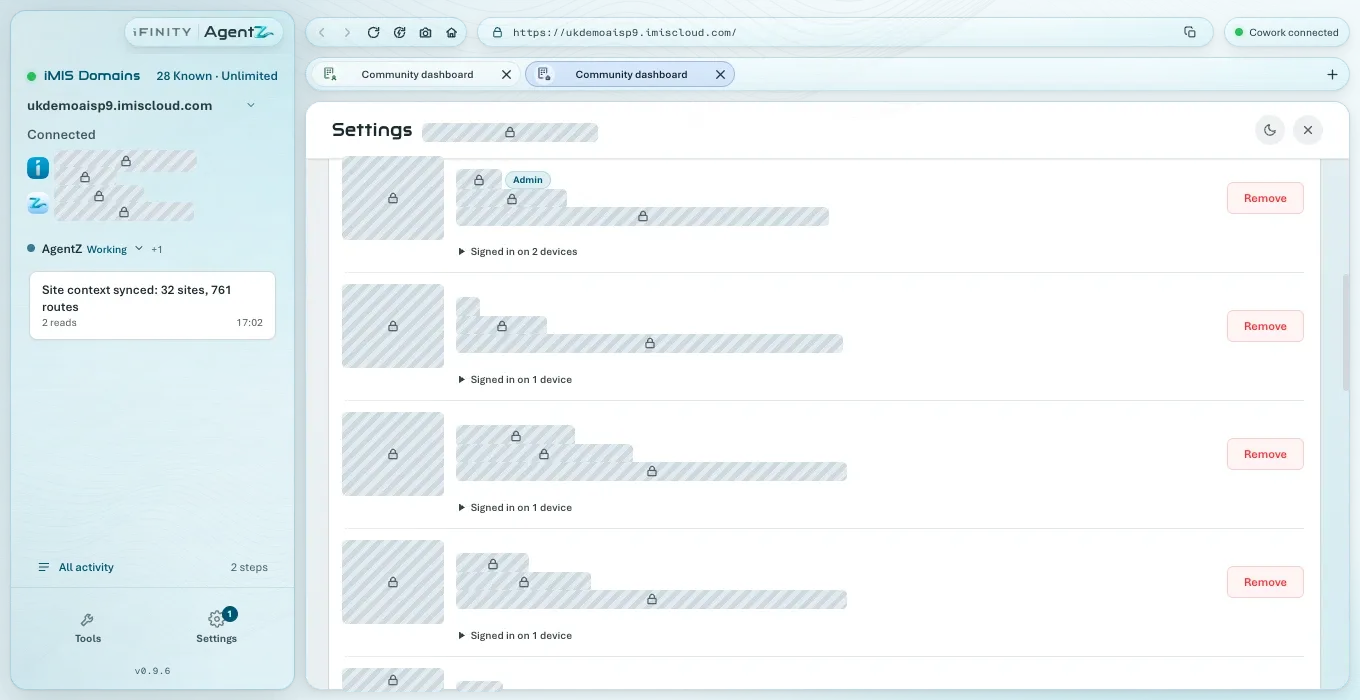
Go to Settings > Team.
-
Find the person under People with an AgentZ seat. In a long list, type their name in Find a person, or click Not using AgentZ to see only people who have not used AgentZ in the last 30 days.
-
On their row, click Remove.
-
AgentZ asks Remove team member: “Remove” their name and email “from” your organisation”?”, and says their seat is freed for someone else and they are signed out of AgentZ on the devices they are signed in on. Cancel is the default. Click Remove.
The Team tab shows “Removed. Their seat is free and they have been signed out of AgentZ.” The person no longer appears in the list, and Recently removed lists them.
If the removal does not go through
Section titled “If the removal does not go through”The Team tab says why, and nobody is removed. For example:
- “That person is no longer on your team, so nobody was removed.” Someone else removed them first. Click Refresh.
- “AgentZ could not load your team, so nobody was removed.” Check your internet connection, click Refresh and try again.
- “The removal could not be completed, so nobody was removed. Try again, or contact iFINITY support.”
What does the person see? AgentZ on their computer returns to its sign-in screen within 15 minutes.
Can I undo a removal? Not from the Team tab. The person signs in again with their work email, which gives them a seat if one is free.
Does removing someone delete what they did in iMIS? No. Nothing in iMIS changes.